

Reading time: 9 min | Topics: password reset testing, QA automation, Playwright, reset tokens, account enumeration, private testing domains | Last updated: November 20, 2026
TL;DR: To test a password reset email in an automated suite, request a reset for a seeded user on a private testing domain, poll the inbox API until the email lands, pull the reset link from the message, set a new password, and confirm the new password works and the old one does not. Then test the security rules: the link works only once, a newer link cancels the older one, and an unknown address gets no email at all. Most reset bugs live in those rules, not in the happy path.
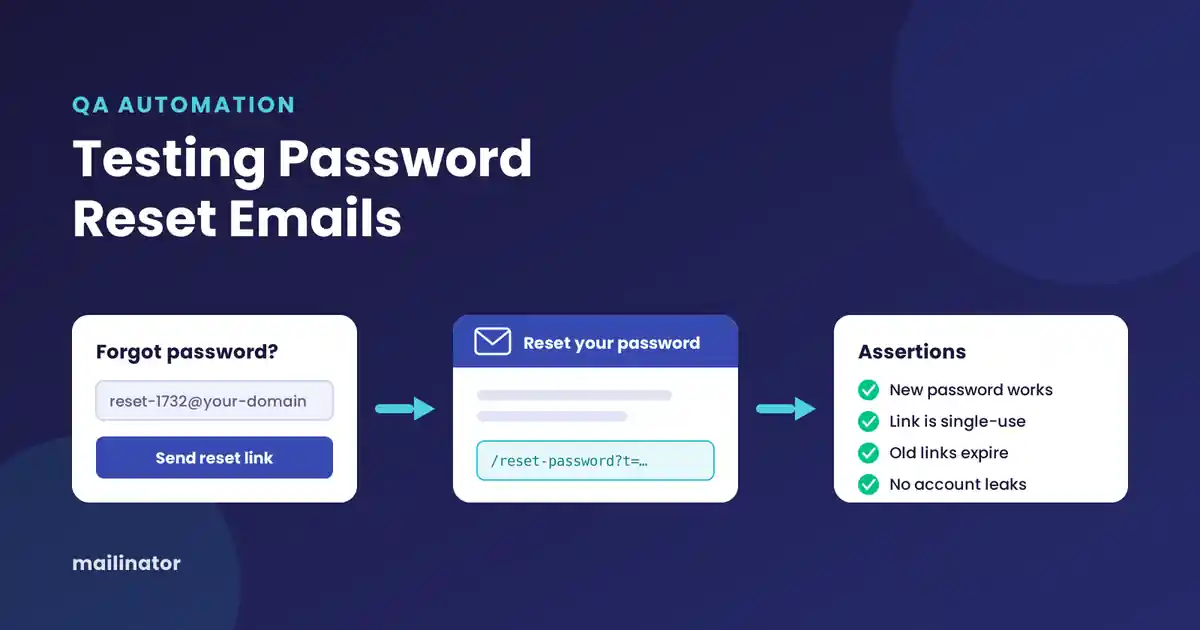
Password reset is the flow nobody tests until a customer is locked out. It runs rarely, so it rots quietly. A refactor changes the token format, a new mail template drops the link host, or a caching layer lets the same token work twice. Meanwhile, every one of those bugs is either a support ticket or a security finding. Because reset is the way back into a locked account, it deserves the same end-to-end coverage as signup.
What Does a Password Reset Test Need to Prove?
A password reset test needs to prove two things. First, the flow works: the email arrives, the link opens the right page, and the new password signs the user in. Second, the flow is safe: the token is single-use, it expires, older tokens die when a new one is issued, and the form never confirms which emails have accounts. A suite that checks only the first half misses the bugs attackers look for.
The OWASP Forgot Password Cheat Sheet lists these rules for anyone building the flow. Your tests are how you confirm the rules still hold after every deploy.
Which Password Reset Checks Matter Most?
Start with the checks that would lock users out or let someone else in. Delivery, link host and the new-password login cover the first risk. Single-use tokens, token replacement, expiry and enumeration cover the second. The table below maps each check to the bug it catches, so you can decide what to automate first.
| Check | What to assert | Bug it catches |
|---|---|---|
| Delivery | Reset email reaches the user within your SLA | Dead queue worker, broken trigger, rotated SMTP credential |
| Link host | Reset URL uses the right environment host and HTTPS | Staging emails pointing at production or localhost |
| New password | New password signs in; old password is rejected | Reset form “succeeds” but never saves |
| Single use | Opening the same link a second time fails | Token not burned after use |
| Replacement | Requesting twice makes the first link invalid | Multiple live tokens per account |
| Expiry | Link fails after the configured lifetime | Tokens that never expire |
| Enumeration | Unknown email shows the same message and sends nothing | Attackers can list which emails have accounts |
| Sessions | Other signed-in sessions end after the reset | A stolen session survives the password change |
How Do You Set Up a Password Reset Test?
You need three things: a staging environment that sends real email, a private testing domain to receive it, and a way to seed a user with a known password. Give every test its own inbox name, such as reset-1732147200-2@your-domain.com. On a private domain every inbox already exists, so there is nothing to create and nothing to clean up.
Seeding is the part teams skip. A reset test has to start from a user that exists, so create one through your app’s test API, a database fixture or a signup step. Do not reuse a long-lived shared account, though. If one test changes its password, every test after it fails.
Then the test itself follows the usual five-step shape from our end-to-end email testing guide: unique address, trigger, poll, extract, assert.
What Does a Complete Password Reset Test Look Like?
Below is a Playwright suite with four tests: the happy path, single use, token replacement, and the unknown-email case. It uses Playwright’s built-in request fixture for the Mailinator API, so it needs no extra packages. The createUser helper stands in for however your app seeds test accounts.
import { test, expect, APIRequestContext } from '@playwright/test';
import { createUser } from './fixtures';   // your app's way to seed a user

const BASE = 'https://api.mailinator.com/api/v2';
const DOMAIN = process.env.MAILINATOR_DOMAIN!;   // your private testing domain
const TOKEN = process.env.MAILINATOR_TOKEN!;      // API token, stored as a CI secret
const auth = { headers: { Authorization: TOKEN } };
const SUBJECT = 'Reset your password';

async function listInbox(api: APIRequestContext, inbox: string) {
  const res = await api.get(`${BASE}/domains/${DOMAIN}/inboxes/${inbox}`, auth);
  const { msgs = [] } = await res.json();
  return msgs.filter((m: any) => m.subject.includes(SUBJECT))
             .sort((a: any, b: any) => b.time - a.time);   // newest first
}

async function waitForResets(api: APIRequestContext, inbox: string,
                             count = 1, timeoutMs = 15_000) {
  const deadline = Date.now() + timeoutMs;
  while (Date.now() < deadline) {
    const msgs = await listInbox(api, inbox);
    if (msgs.length >= count) return msgs;
    await new Promise((r) => setTimeout(r, 2_000));
  }
  throw new Error(`Expected ${count} reset email(s) for ${inbox} within ${timeoutMs} ms`);
}

async function resetLink(api: APIRequestContext, inbox: string, msgId: string) {
  const res = await api.get(
    `${BASE}/domains/${DOMAIN}/inboxes/${inbox}/messages/${msgId}/links`, auth);
  const { links } = await res.json();
  return links.find((l: string) => l.includes('/reset-password'));
}

async function requestReset(page, email: string) {
  await page.goto('/forgot-password');
  await page.getByLabel('Email').fill(email);
  await page.getByRole('button', { name: 'Send reset link' }).click();
  await expect(page.getByText('If an account exists, we sent a link')).toBeVisible();
}

async function setNewPassword(page, url: string, password: string) {
  await page.goto(url);
  await page.getByLabel('New password').fill(password);
  await page.getByLabel('Confirm password').fill(password);
  await page.getByRole('button', { name: 'Update password' }).click();
}

test.describe('password reset', () => {
  let inbox: string, email: string;
  const OLD = 'Old-Passw0rd!', NEW = 'New-Passw0rd!';

  test.beforeEach(async ({ request }, info) => {
    inbox = `reset-${Date.now()}-${info.workerIndex}`;
    email = `${inbox}@${DOMAIN}`;
    await createUser(request, email, OLD);
  });

  test('reset link sets a new password', async ({ page, request }) => {
    await requestReset(page, email);
    const [msg] = await waitForResets(request, inbox);
    const url = await resetLink(request, inbox, msg.id);

    expect(url).toMatch(/^https:\/\/staging\.example\.com\//);   // right host, HTTPS

    await setNewPassword(page, url, NEW);
    await expect(page.getByText('Your password has been updated')).toBeVisible();

    // New password works, old one does not
    await page.goto('/login');
    await page.getByLabel('Email').fill(email);
    await page.getByLabel('Password').fill(OLD);
    await page.getByRole('button', { name: 'Sign in' }).click();
    await expect(page.getByText('Incorrect email or password')).toBeVisible();

    await page.getByLabel('Password').fill(NEW);
    await page.getByRole('button', { name: 'Sign in' }).click();
    await expect(page).toHaveURL(/\/dashboard/);
  });

  test('reset link works only once', async ({ page, request }) => {
    await requestReset(page, email);
    const [msg] = await waitForResets(request, inbox);
    const url = await resetLink(request, inbox, msg.id);

    await setNewPassword(page, url, NEW);
    await page.goto(url);   // replay the same link
    await expect(page.getByText('This link is invalid or has expired')).toBeVisible();
  });

  test('a newer reset email cancels the older one', async ({ page, request }) => {
    await requestReset(page, email);
    await waitForResets(request, inbox, 1);
    await requestReset(page, email);
    const [newest, older] = await waitForResets(request, inbox, 2);

    await page.goto(await resetLink(request, inbox, older.id));
    await expect(page.getByText('This link is invalid or has expired')).toBeVisible();

    await setNewPassword(page, await resetLink(request, inbox, newest.id), NEW);
    await expect(page.getByText('Your password has been updated')).toBeVisible();
  });

  test('unknown email gets the same message and no email', async ({ page, request }) => {
    const ghost = `ghost-${Date.now()}`;
    await requestReset(page, `${ghost}@${DOMAIN}`);   // same on-screen message

    await page.waitForTimeout(15_000);                  // your delivery SLA
    expect(await listInbox(request, ghost)).toHaveLength(0);
  });
});
Your labels, routes and messages will differ, so treat the strings as placeholders. The structure is what matters. The same three API calls (list inbox, fetch a message, get its links) also work from Python, Java, C# or Go; the automated email testing pattern guide has those helpers. If your suite runs on Cypress instead, the Cypress email testing guide wraps the same calls in custom commands.
How Do You Test That a Reset Link Expires?
Do not make a test wait an hour. Instead, shorten the token lifetime in staging through configuration, for example 30 seconds, then wait just past it before opening the link. Alternatively, if your app reads time from an injectable clock, move the clock forward in the test. Either way, assert the same “invalid or expired” page the single-use test checks.
Keep that config change to the test environment, and add one unit test that checks the production lifetime value. Otherwise a short staging TTL can hide the fact that production tokens never expire.
Why Should the Unknown-Email Test Wait Instead of Poll?
Every other email test should poll and never sleep. The enumeration test is the one exception, because it proves something did not happen. Polling would return the empty inbox at once and pass too early. So wait for your full delivery SLA, then check the inbox once. If an email arrives in that window, your app is telling strangers which addresses have accounts.
Check the on-screen message too. If the page says “No account found” for unknown emails and “Check your inbox” for real ones, the form leaks the same information without sending anything. That is why requestReset asserts the same neutral message in every test.
What Makes Password Reset Tests Flaky?
Reset tests usually flake for three reasons: shared test users, matching the wrong email in an inbox, and reset rate limits. Fix the first with a fresh user per test. Fix the second with a unique inbox per test and a subject match. For the third, raise or disable the per-account rate limit in staging, but keep one test that proves the limit exists.
- Use a fresh user every time. A shared account carries state between runs. After one successful reset, every later test that signs in with the old password fails.
- Sort by time when there are two emails. The replacement test receives two messages with the same subject. Sorting by the
timefield makes “newest” and “older” explicit instead of assuming an order. - Watch your rate limits. Many apps cap reset requests per account or per IP. Parallel CI runs from one runner IP can hit that cap and look like a delivery failure.
- Use a domain your validator accepts. Some forgot-password forms run the same email validation as signup. That is one reason test emails get blocked on public disposable domains, and a private domain avoids it.
- Check timing when delivery is slow. If resets sometimes take longer than your SLA, the SMTP transaction log shows when each hop happened, so you can tell a slow sender from a slow test.
What About Reset Codes Sent by Email or SMS?
Some apps send a six-digit code instead of a link. The test shape barely changes: fetch the message, pull the code out of the body with a regex, and type it into the form. Single use, replacement and expiry still apply. For code extraction, see testing OTP and 2FA emails. If the code arrives by text message, automated SMS testing covers reading it through the same API.
Where Should Password Reset Tests Run?
Run them on every deploy, in the same CI job as your other browser tests, against staging. Store the Mailinator API token as a CI secret and let each test own its inbox, so the suite runs in parallel with no setup or teardown. The enumeration test adds about 15 seconds, so you can move it to a nightly run if your pipeline is tight. For a full GitHub Actions setup, see how to test transactional email in a CI/CD pipeline.
You can start for free. The Verified Pro plan includes one private domain, unlimited private inboxes, API access, webhooks and routing rules, with 1,000 emails a month. That is plenty for one engineer to build out reset coverage. Once the whole team runs the suite on every commit, a Business plan adds seats and higher limits.
Frequently Asked Questions
How do you test a password reset email automatically?
Seed a user on a private testing domain, request a reset in the browser, and poll an inbox API until the email arrives. Then extract the reset link, set a new password, and assert that the new password signs in and the old one fails. Tools like Playwright or Cypress drive the browser, and the Mailinator API reads the email.
Should a password reset link work more than once?
No. A reset link should stop working as soon as it is used, when it expires, and when the user requests a newer link. Test all three. Replaying a used link should show an “invalid or expired” page, not the reset form.
How do you test for account enumeration in a forgot-password form?
Submit an address that has no account. Assert the page shows the same message a real user sees, then wait for your delivery SLA and confirm the inbox is still empty. If the message differs or an email arrives, the form reveals which addresses are registered.
How do you test reset link expiry without waiting an hour?
Shorten the token lifetime in staging through configuration, or move an injectable clock forward in the test. Then open the link and assert it is rejected. Add a separate unit test for the production lifetime, so the staging shortcut cannot hide a missing expiry.
Can I use a public Mailinator inbox for password reset tests?
Only for a quick manual check. Anyone can read a public inbox, which means anyone could use your test account’s reset link. For automated tests, use a private domain: only your team can read it, it has API access, and your own email validation will accept it.
Start Testing Your Password Reset Flow
Password reset is the flow users reach for when everything else has failed, so it has to work on the first try. Start with the happy-path test, then add single use and enumeration, which catch the bugs that become security reports. Get a free Verified Pro account to set up a private domain and an API token in a few minutes.