

Reading time: 8 min | Topics: onboarding email testing, SaaS onboarding, user activation, QA automation, private testing domains | Last updated: November 16, 2026
TL;DR: Onboarding emails fail quietly. A verification link points at the wrong host, a welcome email renders {{first_name}}, or the message never sends, and nothing shows up in your error log. Onboarding email testing closes that gap. Send each test signup to a unique inbox on a private domain, read the delivered email through an API, check the links and content, then finish the flow. Run it in CI so a broken email fails the build before a new user ever sees it.
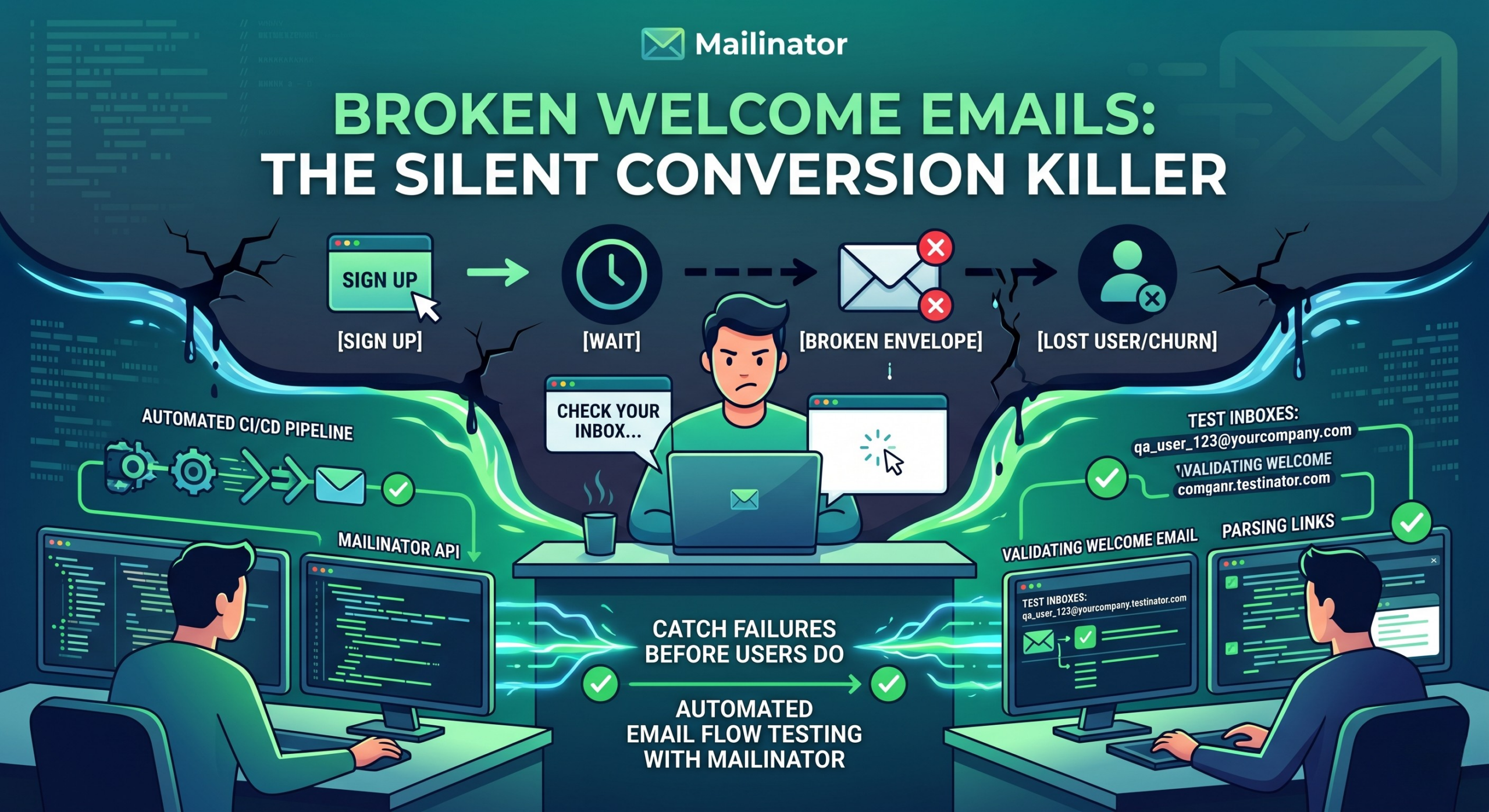
A new user signs up for your product. They enter their email, click “Create Account,” and wait.
The welcome email never arrives.
No confirmation link. No “getting started” guide. No password setup instructions. Just silence.
They try again. Wait a few more minutes. Give up.
You just lost a user, not because your product failed them, but because an email did. And if you’re like most SaaS teams, you didn’t find out until someone filed a support ticket, left a negative review, or simply never came back.
Broken onboarding emails are one of the most common and least visible causes of poor user activation in SaaS. This post explains why they happen, what’s at stake, and how onboarding email testing catches them before they reach real users.
What Is an Onboarding Email Flow?
An onboarding email flow is the sequence of emails that takes a new user from signup to active use. It usually starts with a verification email, continues with a welcome and setup message, and ends with nudges toward the first key action. Because each email gates the next step, one broken message can stall the whole journey.
For most SaaS products, the sequence includes:
- Email verification: the user must confirm their address before accessing the product
- Welcome email: introduces the product and sets expectations
- Account setup instructions: prompts the user to complete their profile, connect integrations, or invite teammates
- Trial activation: confirms a free trial has started and explains what’s included
- Day 2 / Day 7 nudges: follow-up emails designed to move users toward key activation milestones
- Password reset: triggered when users forget credentials, often within the first session
Each of these emails is a handoff in the user journey. If any one of them fails to send, renders incorrectly, contains a bad link, or lands in spam, the experience degrades in a way that’s hard to recover from.
Why Are Onboarding Email Problems Easy to Miss?
Onboarding email failures are easy to miss because they produce no error on your side. Your application logs a successful send and your email provider may report delivery, yet the user never got the message, the link had expired, or the content was garbled. Unlike a crashed login page, a missing email raises no alert. The user simply leaves.
There are a few reasons these failures slip through:
Testing with real email accounts is slow and messy. When developers need to test signup flows, they often use personal email addresses, create Gmail “+” aliases, or skip email verification entirely in staging. None of these approaches reliably shows what a real user in production will experience.
Staging environments behave differently from production. Email service configurations, domain authentication records (SPF, DKIM, DMARC), and routing rules frequently differ between staging and production. An email that sends cleanly in one environment may quietly fail in another.
Email rendering varies across clients. An email that looks perfect in Gmail on a MacBook may be broken in Outlook on Windows, or displayed without images on a phone. Without systematic checks, these issues go undetected.
Users rarely report a missing email. If a user can’t complete email verification, they may assume they made a typo or that the product isn’t for them. They don’t contact support to say an email didn’t arrive. They just leave.
What Does a Broken Welcome Email Cost?
A broken welcome email costs you every customer who would have converted after activating. The loss is small in any single month and large over a year, because it compounds. Here is a simple way to estimate it for your own funnel.
Say 10,000 people sign up each month, 3% of them convert to paid, and a customer pays $30 a month. If 10% of your onboarding emails fail, roughly 1,000 of those users never activate. At a 3% conversion rate, that is about 30 paying customers lost every month, or $900 in new monthly recurring revenue. After a year of the same leak, you are missing roughly 360 customers and about $10,800 in MRR, before counting support time or the reviews those users leave.
These numbers are an illustration, not a benchmark, so plug in your own. The point holds either way: activation rate, time-to-value, and trial conversion are all downstream of whether a user gets through your onboarding emails.
How Do QA Teams Test Onboarding Email Flows?
Teams that catch email failures before users do share four habits. They send test signups to dedicated inboxes instead of personal accounts, they check what the email does and not just whether it sent, they run those checks automatically in CI, and they keep staging and production email settings aligned.
They Use Dedicated Test Inboxes, Not Personal Addresses
Rather than routing test emails to personal accounts, mature QA teams use a tool like Mailinator to get on-demand test inboxes. A tester can make up a unique address, say newuser-qa-1731772800@your-private-domain.com, run through the full signup flow, and immediately inspect the email that arrives, including its raw source, headers, and links. No inbox clutter. No waiting. No shared credentials. A private testing domain also keeps that mail readable only by your team.
They Test the Entire Email Flow, Not Just “Did It Send”
Checking whether an email was sent is table stakes. The more important questions are:
- Did the email arrive within an acceptable time window?
- Do all links in the email resolve correctly?
- Does the verification link actually complete the intended action?
- Does the email render correctly in the most common mail clients?
- Are the personalization tokens (first name, account name, plan type) populated, or do some users see
{{first_name}}in their welcome email?
For the full pattern with a working Playwright example, see our guide to end-to-end email testing.
They Automate Email Checks in CI/CD
The most reliable teams don’t rely on manual QA to catch email problems. They build email checks into their continuous integration pipelines. When a code change touches an email template or a signup flow, an automated test triggers the full signup sequence, fetches the email through an API, parses its contents, and verifies that the links, tokens, and copy are right before the change reaches production. Our walkthrough on testing transactional email in a CI/CD pipeline covers the setup.
They Test Across Environments Before Deploying
Staging and production should send email with matching configurations. A common failure mode is a mismatch between the two: SPF and DKIM are set up for one sending domain but not the other, or a base URL differs. The email then passes every check in staging and fails in production in a way that looks like spam filtering to the user.
What Should You Check Before Each Release?
Before a release touches any part of your onboarding flow, check four things: the email arrives, its content is correct, it renders in the main mail clients, and the action inside it works. Use the checklist below as a starting point and automate whatever you can.
Deliverability
- Does the email arrive within 60 seconds of a test signup?
- Does it pass SPF, DKIM, and DMARC validation?
- Does it land in the inbox, not spam, across major providers?
Content
- Are all personalization tokens rendering correctly?
- Do all links in the email resolve to the correct destination?
- Is the email verification link functional and unexpired?
- Is the unsubscribe link present and working where one is required?
Rendering
- Does the email display correctly on mobile?
- Does it render acceptably in Outlook, Gmail, and Apple Mail?
- Does it display sensibly with images disabled?
Flow Integrity
- Does completing the email verification action activate the account?
- Do follow-up emails in the sequence trigger after verification?
- Does the password reset flow complete end to end?
For the sending side, Postmark’s transactional email best practices is a good companion to this checklist. If your flow includes one-time codes, see how to test OTP and 2FA emails.
Where Does Mailinator Fit In?
Mailinator handles the receiving side of onboarding email testing. It gives QA teams and developers instant, programmable inboxes that need no setup, can be read through an API, and plug into automated test suites. Your staging app sends real email, and your tests read exactly what a user would get.
For onboarding flows specifically, this means you can:
- Give every test run a new user with a unique address, so test sessions never read each other’s mail
- Retrieve and parse the welcome email through the API the moment it arrives, checking content, links, and headers in code
- Build end-to-end tests that complete the full signup-to-activation flow (signup, email receipt, link click, account activation) without human intervention
- Run these tests in CI/CD, so a regression in an email flow is caught the way a broken unit test is: immediately, automatically, and before deployment
You do not need a budget to start. The free Verified Pro plan includes one private domain, unlimited private inboxes, API access, webhooks and routing rules, with an allowance of 1,000 emails a month.
Frequently Asked Questions
What is onboarding email testing?
Onboarding email testing checks that the emails a new user depends on, such as verification, welcome, and password reset messages, arrive on time, show the right content, and contain links that work. Done well, it follows the whole flow from signup to an activated account instead of only confirming that a message was sent.
Why do onboarding emails fail without anyone noticing?
A missing or broken email produces no error in your application. The send is logged as successful, and the user who never received it rarely contacts support. Unless a test reads the delivered message, the first sign of trouble is usually a drop in activation.
Which onboarding emails should I test first?
Start with the emails that block access when they break: email verification and password reset. Then cover the welcome email and trial activation. Nudge emails on day 2 and day 7 matter too, but a failure there slows a user down, while a failed verification email stops them completely.
Can onboarding email tests run in CI?
Yes. Point your staging environment at a private testing domain, give each test a unique inbox, and read the email through an API from the same job that runs your browser tests. If the email does not arrive or its link fails, the build fails.
The Bottom Line
Onboarding email failures are quiet, costly, and almost entirely preventable. They don’t show up in your error logs. They don’t trigger alerts. They just erode the conversion rates you’re working hard to improve.
Testing your onboarding email flow before each release, with real automation and not manual spot checks, is one of the highest-leverage quality improvements a growing SaaS team can make. It’s the difference between shipping with confidence and finding out from a churned user that their welcome email never arrived.
Ready to add onboarding email testing to your QA process? Get a free Verified Pro account and you can have a private domain and an API token in a few minutes.