

Mailinator vs Mailtrap is a common face-off when QA teams pick an email testing tool. However, the two tools do not do the same job. In short, Mailtrap traps outbound mail before it leaves your app. Mailinator receives real mail, so your automated tests can read it back. So the better choice depends on the test in front of you. Below, we break down the difference, then show which tool fits your suite.
The short answer
For pre-send checks, choose Mailtrap. Its sandbox holds a message in staging, then inspects the HTML, the spam score, and the authentication. For end-to-end automation, choose Mailinator. It receives real email and SMS at a private domain, so your test suite can read what actually arrived. Many teams run both, each for a different job.
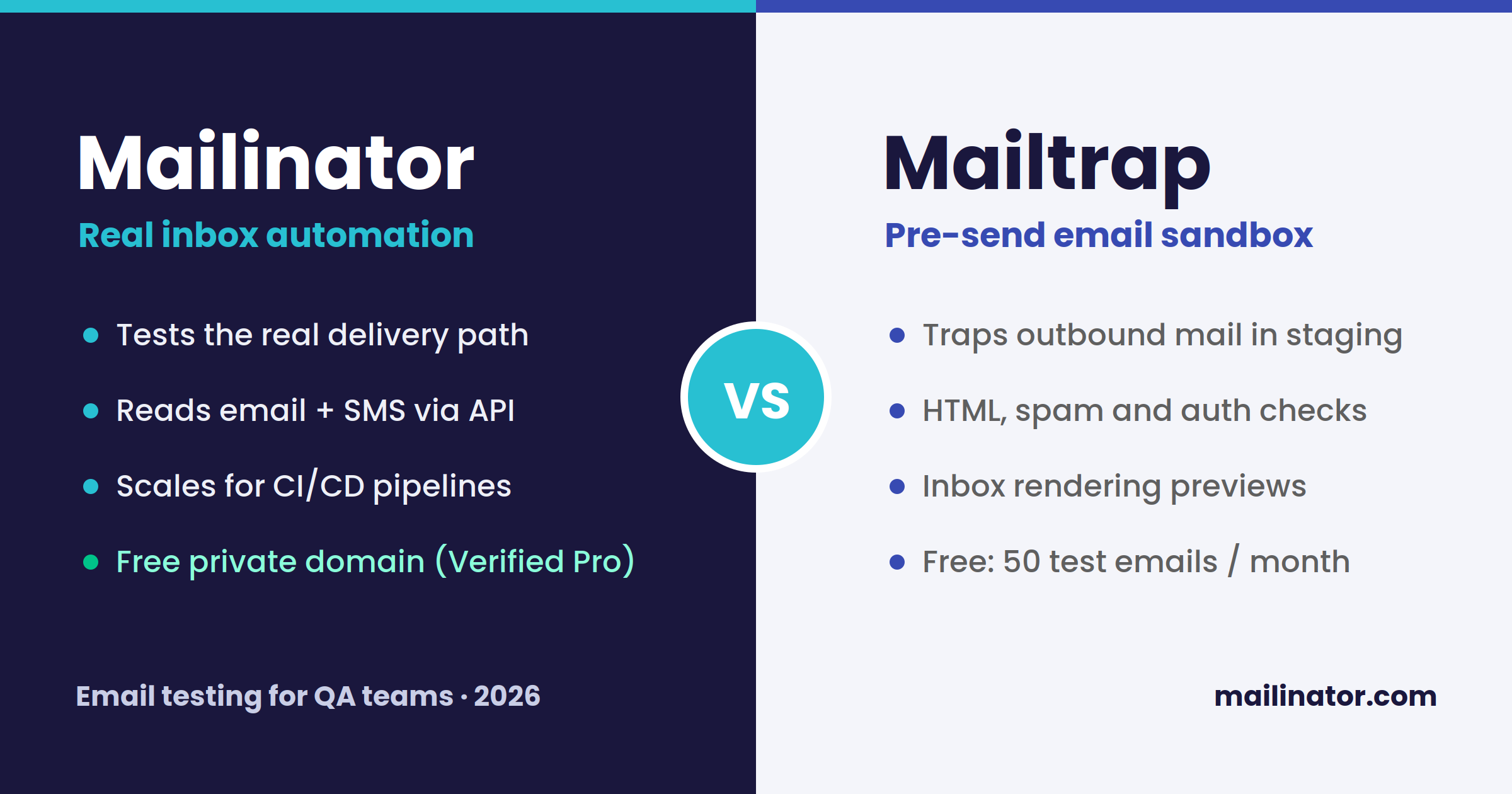
Mailinator vs Mailtrap: what is the real difference?
Email testing is really three jobs. First, does your app send the message at all? Second, will that message render correctly? Third, does it reach the inbox? Mailtrap and Mailinator sit on different sides of that split.
Mailtrap works before the send. You point your staging SMTP at its sandbox. Then outbound mail stops there instead of reaching real people. As a result, you can inspect the HTML, read the spam score, and confirm SPF, DKIM, and DMARC. Meanwhile, nothing ever lands in a customer inbox.
Mailinator works after the send. You point a private domain at Mailinator. Then every address on that domain becomes a live inbox at once. So an automated test can trigger a signup, wait for the real email, and read the code inside it. Because it also handles SMS, the same flow covers 2FA.
What does Mailtrap do best?
Mailtrap shines at pre-send quality control. Its Email Sandbox suits staging environments, so test messages never leak to customers. Meanwhile, it previews how an email looks across clients like Gmail and Outlook. It also flags broken HTML and weak authentication before you ship a single send.
That makes Mailtrap a strong fit for one job: catching rendering and deliverability problems early. However, the sandbox does not test the real route your production mail takes. It also splits testing and sending into separate products, which can muddy the total cost. So check the current plans on the Mailtrap site before you commit.
What does Mailinator do best?
Mailinator shines at automation and scale. You get a private domain, an API, webhooks, and routing rules. So a Cypress, Playwright, or Selenium test can drive a whole flow end to end. For example, it can register a user, catch the one-time password, and assert the value. Because inboxes appear instantly, there is no provisioning and no cleanup between runs.
Mailinator also reads SMS, which matters for 2FA and phone verification. On top of that, its free Verified Pro plan includes a private domain and API access at no cost. Paid plans then start at $79 per month on Business, billed annually, with more seats and volume. For a closely related tool, see our Mailinator vs Mailosaur guide.
Mailinator vs Mailtrap: a side-by-side comparison
| Factor | Mailinator | Mailtrap Email Sandbox |
|---|---|---|
| Core job | Receive real email and SMS for automation | Trap outbound mail before it sends |
| Tests the real delivery path | Yes | No (staging capture) |
| SMS testing | Yes | No |
| Setup | Point a private domain; inboxes are instant | Redirect staging SMTP to the sandbox |
| Rendering previews | Basic | Detailed, multi-client |
| Free tier | Verified Pro: private domain and API | 50 test emails per month |
| Paid entry | $79/mo (Business, annual) | ~$14-17/mo sandbox (annual) |
| Best for | CI/CD automation, OTP, SMS, scale | Pre-send HTML, spam, and auth checks |
Prices checked in 2026. Please confirm the current numbers on each vendor page before you buy.
Which tool should your QA team choose?
Start with the question your tests actually ask. If you need to prove that your app sent the right email or SMS, choose Mailinator. It reads the real message, so your suite checks true behavior. If you only need to preview a template and screen it for spam, Mailtrap does that job well.
That said, the two are not really rivals. Many strong teams run Mailtrap for pre-send design checks and Mailinator for end-to-end automation. In the Mailinator vs Mailtrap decision, though, most QA and CI/CD work leans toward Mailinator, because it validates the exact path real users hit.
Ready to test the real thing? Start free with Verified Pro, point a private domain at Mailinator, and read live email and SMS from your very first test.
Frequently asked questions
Is Mailinator a Mailtrap alternative?
Partly. Mailinator replaces Mailtrap for end-to-end automation, since it reads real email and SMS. It does not replace the pre-send rendering previews, though. So teams that need both often run them together.
Does Mailtrap test the real delivery path?
No. The Mailtrap sandbox captures mail in staging, so the message never travels the real route. Mailinator instead receives live mail at a private domain, which tests the true path.
Which tool is better for OTP and 2FA testing?
Mailinator. It catches one-time passwords by email and by SMS through its API. As a result, a test can read the code and finish the login on its own.
Is Mailinator free?
Yes. The Verified Pro plan is free for single users, and it includes a private domain plus API access. Paid Business plans then start at $79 per month, billed annually, for larger teams.