


Testing Single Sign-On (SSO) integrations has always been a pain point for development teams. Setting up identity providers, creating test accounts, and managing authentication flows can consume hours of valuable development time. Today, we’re excited to announce a new feature designed specifically for developers and QA teams: the Mailinator Universal IDP.
What is the Mailinator Universal IDP?
The Mailinator Universal IDP is a standards-compliant OpenID Connect (OIDC) Identity Provider purpose-built for testing environments. It allows developers to test their SSO implementations without the overhead of configuring production identity providers or creating countless test accounts.
Just as Mailinator has helped millions of developers test email workflows without using real email addresses, the Mailinator Universal IDP extends this philosophy to authentication testing. It’s a natural evolution of the disposable email concept into the identity space.
How the Mailinator Universal IDP Works
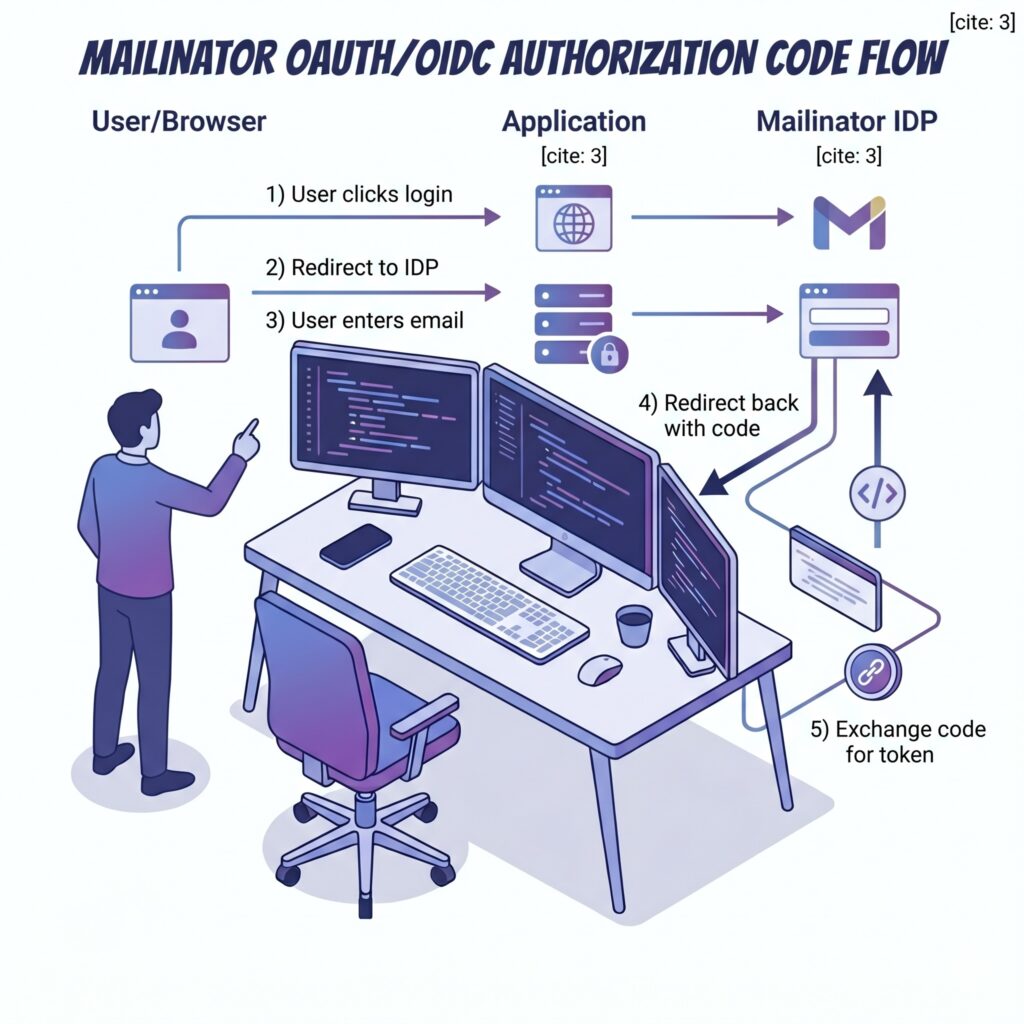
The Universal IDP implements the standard OIDC Authorization Code flow. When your application redirects to Mailinator for authentication, users simply enter any inbox name they choose. The IDP then issues a valid, cryptographically-signed JWT token that your application can verify against our published JWKS endpoint.
Important: This is explicitly a testing tool. The login page clearly states that this is not a secure authentication system. It’s designed for development, staging, and QA environments—not production user authentication.
Two Modes of the Mailinator Universal IDP

Public Mode (Free)
Any developer can use the public endpoint at idp.mailinator.com to test SSO flows with @mailinator.com email addresses. This is perfect for:
- Quick prototyping of SSO integrations
- Automated testing in CI/CD pipelines
- Developer sandboxes and local development
- QA testing without creating real user accounts
As always, Public mode includes rate limiting to prevent abuse.
Private Mode for Mailinator Universal IDP Subscribers
Mailinator subscribers with private domains can use the Universal IDP with their own Private Domain. When authenticated via API token or session, the IDP will issue tokens for email addresses at your private domain (e.g., @yourcompanytesting.com).
This is ideal for:
- Enterprise testing environments that need domain-specific identities
- Integration testing where email domain matters
- End-to-end testing with your existing Mailinator private domain setup
Quick Implementation Guide for the Mailinator Universal IDP
Integrating the Mailinator Universal IDP into your application takes just a few minutes. Here’s what you need to know:
OIDC Discovery Endpoint
https://idp.mailinator.com/idp/.well-known/openid-configuration
This endpoint returns the standard OIDC discovery document with all the information your OIDC library needs to configure itself automatically.
Key Endpoints
| Endpoint | URL |
|---|---|
| Authorization | https://idp.mailinator.com/idp/authorize |
| Token | https://idp.mailinator.com/idp/token |
| JWKS | https://idp.mailinator.com/idp/jwks.json |
Supported Parameters
The authorization endpoint accepts standard OIDC parameters:
client_id– Your application identifier (displayed on the login page)redirect_uri– Where to send the user after authentication (must be HTTPS)response_type– Use “code” for the authorization code flowstate– CSRF protection token (recommended)nonce– Replay protection (passed through to the ID token)scope– Request “openid email” for standard claims
Example Authorization Request
https://idp.mailinator.com/idp/authorize?
  client_id=MyTestApp&
  redirect_uri=https://myapp.example.com/callback&
  response_type=code&
  scope=openid%20email&
  state=abc123&
  nonce=xyz789
Token Claims
The ID token includes the following claims:
{
  "iss": "https://idp.mailinator.com",
  "sub": "testuser@mailinator.com",
  "aud": "MyTestApp",
  "azp": "MyTestApp",
  "email": "testuser@mailinator.com",
  "email_verified": true,
  "nonce": "xyz789",
  "iat": 1712345678,
  "exp": 1712349278
}
For Private Domain Users of the Mailinator Universal IDP
Subscribers can authenticate requests using either:
- Your Mailinator API token as a Bearer token in the Authorization header
- Your existing Mailinator session cookie
When authenticated, the IDP will automatically use your private domain for issued tokens.
Mailinator Universal IDP Integration Examples

Node.js with Passport.js
Using the passport-openidconnect strategy:
const OIDCStrategy = require('passport-openidconnect');

passport.use(new OIDCStrategy({
    issuer: 'https://idp.mailinator.com',
    authorizationURL: 'https://idp.mailinator.com/idp/authorize',
    tokenURL: 'https://idp.mailinator.com/idp/token',
    clientID: 'MyTestApp',
    clientSecret: 'not-used',
    callbackURL: 'https://localhost:3000/callback',
    scope: 'openid email'
  },
  function(issuer, profile, done) {
    return done(null, profile);
  }
));
Python with Authlib
Using Authlib for Flask:
from authlib.integrations.flask_client import OAuth

oauth = OAuth(app)
oauth.register(
    name='mailinator',
    client_id='MyTestApp',
    client_secret='not-used',
    server_metadata_url='https://idp.mailinator.com/idp/.well-known/openid-configuration',
    client_kwargs={'scope': 'openid email'}
)
A Note on Mailinator Universal IDP Security and Intent

We want to be clear about the purpose and appropriate use of this feature. The Mailinator Universal IDP is a testing tool, not a production authentication system. It’s designed to help developers verify their SSO implementations work correctly before connecting to real identity providers.
Site owners have complete control over which identity providers their applications trust. The Universal IDP will only function on sites where developers have explicitly configured it as a trusted provider. It cannot be used to bypass authentication on sites that haven’t implemented it.
Get Started with the Mailinator Universal IDP Today
The Mailinator Universal IDP is available now. Point your OIDC library at our discovery endpoint and start testing in minutes.
For subscribers wanting to use private domains with the IDP, check your team dashboard for API token access.
Have questions or feedback? We’d love to hear from you. Reach out to our support team or join the conversation on our community forums.
Happy testing!