

Reading time: 8 min | Topics: temp mail API, disposable email API, private testing domains, test automation | Last updated: October 5, 2026
A temp mail API lets your code use throwaway inboxes the way a person uses a browser tab. Your script picks an address, waits for mail to land, and reads it over HTTP. There is no login, no IMAP, and no cleanup. Ultimately, that one shift turns email from a manual step into an ordinary function call.
This guide explains how a temp mail API works, shows a working example, and covers the details that decide whether it holds up in real use. As it turns out, most of those details come down to one choice: the domain your mail goes to.
TL;DR
- A temp mail API gives your code inboxes it can read over HTTP. You need no mail client or password.
- The core flow is two calls. First, list the inbox. Then, fetch the message by ID.
- With Mailinator, any address works at once. You never create an inbox before you use it.
- Use a private domain, not a public one. It keeps your mail private and passes signup forms that block known throwaway domains.
- The free Verified Pro plan includes a private domain, API access, and webhooks.
What is a temp mail API?
A temp mail API is a web service that receives email for short-lived addresses and lets your code read it. Instead of opening an inbox in a browser, you send an HTTP request and get the message back as JSON. As a result, scripts, test suites, and bots can handle email without a human.
Of course, the “temp” part matters. You do not register these inboxes, and you do not keep them. Instead, you make up an address, use it once, and move on. For that reason, a temp mail API fits any task that needs many addresses and no long-term mailbox.
How does a temp mail API work?
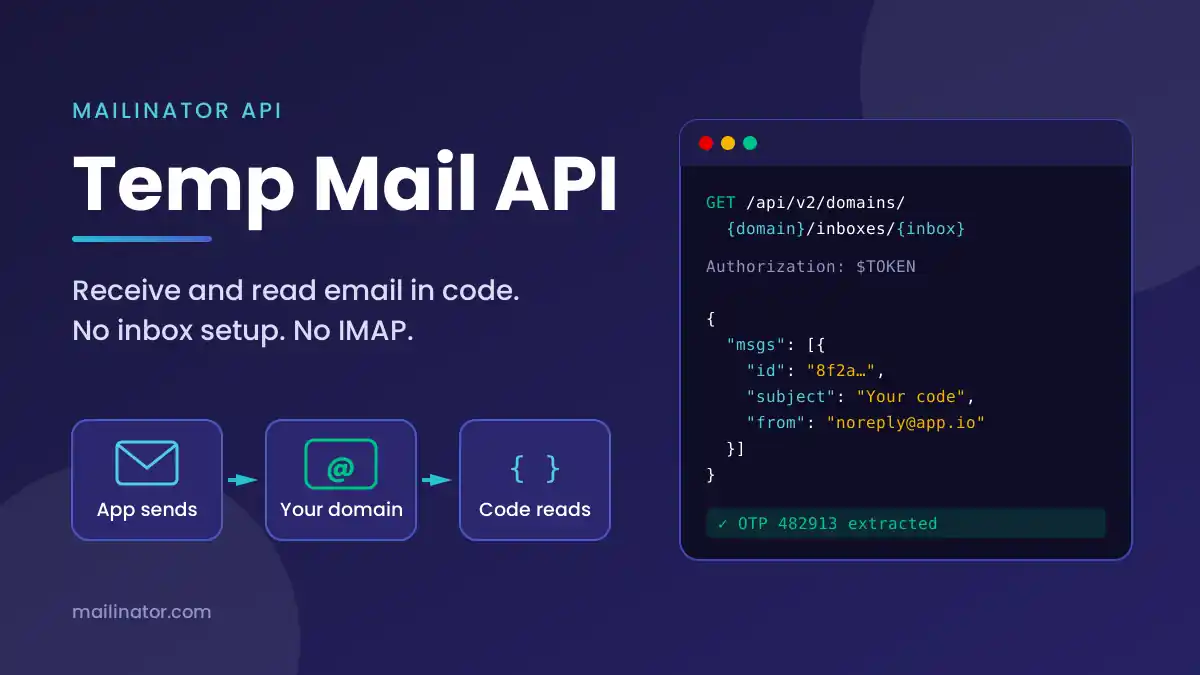
A temp mail API works in three steps. First, your code picks an address on a domain the service controls. Next, something sends mail to that address. Finally, your code lists the inbox and fetches the message. Meanwhile, the service runs the mail server, so you only deal with HTTP.
Moreover, with Mailinator the first step costs nothing. Inboxes exist the moment mail arrives, so signup-4471@your-team-domain.com works without any setup call. The read side uses four endpoints on https://api.mailinator.com:
| Task | Endpoint |
|---|---|
| List messages | GET /api/v2/domains/{domain}/inboxes/{inbox} |
| Fetch one message | GET /api/v2/domains/{domain}/inboxes/{inbox}/messages/{id} |
| Get links in a message | GET /api/v2/domains/{domain}/inboxes/{inbox}/messages/{id}/links |
| Delete a message | DELETE /api/v2/domains/{domain}/inboxes/{inbox}/messages/{id} |
Authorization: YOUR_API_TOKEN.How do you read email with a temp mail API?
You poll the inbox until a message appears, then fetch it by ID. Poll every two seconds against a deadline, and never use a fixed sleep. Also, give each run its own inbox name. That way, the first message you find is always the right one.
For example, here is the whole flow with curl:
# 1. List the inbox
curl -H "Authorization: $MAILINATOR_TOKEN" \
  https://api.mailinator.com/api/v2/domains/your-team-domain.com/inboxes/signup-4471

# 2. Fetch a message by the id from step 1
curl -H "Authorization: $MAILINATOR_TOKEN" \
  https://api.mailinator.com/api/v2/domains/your-team-domain.com/inboxes/signup-4471/messages/MESSAGE_ID
And here is a small Node helper that waits for a message and returns its links. It uses the built-in Fetch API, so it needs no extra packages:
const BASE = 'https://api.mailinator.com/api/v2';
const headers = { Authorization: process.env.MAILINATOR_TOKEN };

export async function waitForLinks(domain, inbox, timeoutMs = 30000) {
  const url = `${BASE}/domains/${domain}/inboxes/${inbox}`;
  const deadline = Date.now() + timeoutMs;

  while (Date.now() < deadline) {
    const { msgs = [] } = await (await fetch(url, { headers })).json();
    if (msgs.length) {
      const res = await fetch(`${url}/messages/${msgs[0].id}/links`, { headers });
      return res.json();
    }
    await new Promise(r => setTimeout(r, 2000));
  }
  throw new Error(`No mail in ${inbox} after ${timeoutMs} ms`);
}
Notably, the links endpoint saves you from parsing HTML. So a confirmation link becomes one call, not a fragile regex. For the same pattern in Python, Java, Go, and Postman, see our automated email testing guide.
Should a temp mail API use a public or private domain?
Use a private domain for anything that matters. On a public domain, anyone who guesses the inbox name can read your mail. In addition, many signup forms block well-known public throwaway domains. A private domain avoids both problems, because only your team can read it and no blocklist knows it.
Still, public inboxes have a place. For example, they are handy for a quick manual check. However, login codes, reset links, and test accounts belong on a domain you control. We cover the blocking issue in depth in why test emails get blocked. For setup details, see private email testing domains.
What should you look for in a temp mail API?
Look for six things in a temp mail API: no inbox setup, a private domain, link extraction, push delivery, SMS support, and clear rate limits. Taken together, these decide whether the API stays reliable once you run it at scale. Without them, a script that works once often fails on the hundredth run.
- No inbox setup. A create call before every test is one more thing to fail.
- A private domain. It keeps data private and gets past signup blocklists.
- Link extraction. Pulling links server-side beats writing your own HTML parser.
- Push delivery. Webhooks and routing rules send mail to you, so you poll less.
- SMS support. If your app sends codes by text, one API for both keeps things simple.
- Clear limits. Know the daily read cap and the per-second rate before you build on it.
What can you build with a temp mail API?
Most teams use a temp mail API to test flows that send email. Signup confirmations, one-time codes, password resets, and magic links are the common targets. Beyond testing, teams also use it for load tests, uptime checks, and AI agents that need to read a verification email.
- End-to-end tests. Read the code, then type it into the app. See our guides for Playwright and Cypress.
- OTP and 2FA checks. Pull a six-digit code with a regex and assert on its shape. Our OTP testing guide walks through it.
- CI pipelines. Store the token as a secret and run email tests on every merge. Read more in testing email in CI/CD.
- Load tests. Send thousands of messages and confirm each one arrives with email load testing.
- AI agents. Let an assistant fetch a code or reset link on its own. See Mailinator and AI.
- SMS flows. Read texts through the same endpoints with an SMS testing number.
How much does a temp mail API cost?
You can start for free. Mailinator’s Verified Pro plan includes one private domain, API access, webhooks, and routing rules at no cost. Specifically, it suits one person building or testing a project. Once a team shares the same suite, a paid Business plan lifts the limits.
To be clear about the free tier, it has caps. You get 60 reads a day, up to 1,000 emails a month, and an API rate of 10 reads per second. Daily limits reset at midnight UTC. For a solo project, that is often plenty. For a busy CI pipeline, though, compare the paid plans before you hit the ceiling.
Frequently asked questions
Is there a free temp mail API?
Yes. Mailinator’s Verified Pro plan is free and includes API access, a private domain, and webhooks. It allows 60 reads a day and up to 1,000 emails a month. That covers most solo projects. Teams with larger test suites usually move to a paid plan.
How do I get a temporary email address in code?
Simply build one. With Mailinator, any name on your domain is a valid inbox, so run-123@your-team-domain.com works at once. Use it in your signup form, then read the inbox through the temp mail API. There is no create call.
Why do some sites reject temp mail addresses?
Many sites block known public throwaway domains to stop fake signups. So if your address uses one of those domains, the form rejects it. A private domain solves this, because it belongs to you and appears on no blocklist.
Can a temp mail API read SMS messages too?
With Mailinator, yes. An SMS testing number shows up as its own domain, and each text lands in an inbox named after the number. Therefore you read texts with the same API calls you use for email.
Should I poll a temp mail API or use webhooks?
Poll for simple tests, since it takes a few lines of code. Use webhooks when volume grows, because frequent polling eats into daily read limits. With routing rules, Mailinator can push new mail to your own endpoint as soon as it arrives.
Get your free API token
The fastest way to try this is to set up a private domain and run the curl example above. Overall, it takes a few minutes. After that, every address on your domain is ready for your code.